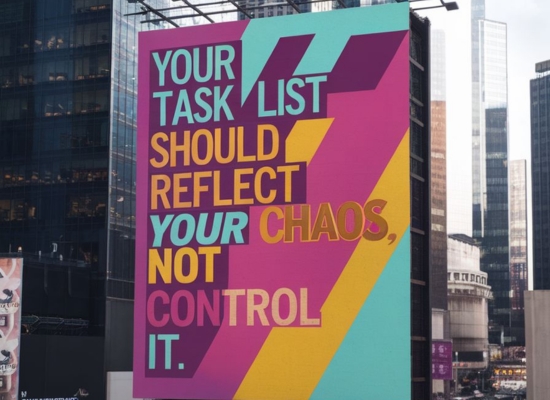
Last week I hit a wall.
Not a creative wall or a technical wall. A productivity wall.
I had just finished what I call "extreme momentum" - those periods where you move fast, ship hard, and almost forget to breathe. Everything was working. Code was flowing. Features were shipping.
But when it ended, I felt completely lost.
Why? Because during my momentum phase, I stopped updating my task system entirely.
No OmniFocus updates. No Notion maintenance. Just pure building.
And when I finally slowed down, I faced a complete mess.
The Aftermath of Extreme Momentum
Here's what happens when you abandon your systems during high-productivity periods:
You end up with:
- Tasks that are weeks out of date
- Half-baked ideas scattered everywhere
- A system that doesn't reflect your current reality
- No clear next steps when the momentum stops
I was staring at my OmniFocus with hundreds of outdated tasks. My Notion was full of random notes that made no sense. Everything felt broken.
The worst part? I knew I'd been here before.
This is my cycle. Extreme momentum → system abandonment → chaos → rebuilding.
I was tired of it.
Getting Help from an Unexpected Source
I decided to try something different.
Instead of just diving in and reorganizing everything myself, I asked ChatGPT to be my productivity coach.
"Help me clean this up and build something that fits me."
Why this worked:
ChatGPT doesn't judge. It doesn't care that I've rebuilt my system 10 times before. It just helps you think through problems systematically.
Plus, it knows about different productivity frameworks and can suggest things you might not have considered.
What We Rebuilt Together
1. OmniFocus from Scratch
I deleted everything and started over.
Sounds extreme, but those old tasks were just noise. If something was truly important, I'd remember it or it would come up again.
New structure:
- Areas of focus (not projects)
- Weekly reviews actually built into the system
- Contexts that match how I actually work
- Less categories, more action
2. Daily Log System in Notion
This was the game-changer.
Instead of trying to plan everything in advance, I built a daily log system in Notion that captures:
- What I actually worked on
- Ideas that came up
- Quick decisions I made
- Things I want to revisit
The key insight: Sometimes logging what happened is more useful than planning what will happen.
Learn more about organizing your projects and documentation with Notion in our tools directory.
3. Voice Notes for Catch-Up
When I miss updating systems, I use voice notes.
I record a quick 5-minute summary of what happened over the past few days. Then I process those notes later when I have time.
This prevents the "I haven't updated in 3 days so now I'll just give up" spiral.
4. Clear Separation of Systems
The biggest breakthrough was understanding what belongs where.
OmniFocus gets:
- Things with deadlines
- Next actions I need to take
- Weekly review items
Notion gets:
- Ideas and brainstorming
- Project documentation
- Daily logs and reflection
Voice notes get:
- Quick captures when I can't type
- Processing thoughts while walking
- End-of-day brain dumps
Need help organizing your productivity system? Check out our tools directory for project management and productivity solutions.
The Real Goal: Working with My Natural Cycles
This wasn't about being more productive.
It was about creating a system that works with my momentum cycles instead of against them.
Here's what I learned:
Some people work at a steady pace every day. I don't. I have periods of extreme focus followed by periods of processing and planning.
Fighting this was making me miserable.
Instead, my new system:
- Expects momentum phases where I'll abandon it
- Has quick ways to catch up when I return
- Captures the important stuff without over-planning
- Helps me land smoothly after intense work periods
What Actually Worked (And What Didn't)
What Worked:
Starting completely fresh. Don't try to clean up a broken system. Just start over.
Using AI as a thinking partner. ChatGPT helped me see patterns I was missing and suggested frameworks I hadn't considered.
Building for my actual workflow. Not the workflow I think I should have.
Accepting my momentum cycles. Instead of trying to fix them, I designed around them.
What Didn't Work:
Trying to make it perfect. I spent too much time on categories and tags that don't matter.
Over-planning. I built elaborate project structures that I never used.
Copying other people's systems. What works for YouTube productivity gurus doesn't work for everyone.
The Simple Framework That Changed Everything
Here's the core system that's actually working:
Daily (2 minutes):
- Quick brain dump in voice notes
- Check calendar for tomorrow
- Log what I actually worked on
Weekly (15 minutes):
- Process voice notes into systems
- Clean up obvious dead tasks
- Set 3 focus areas for next week
Monthly (30 minutes):
- Look at what I actually accomplished
- Adjust systems that aren't working
- Plan any bigger changes
That's it. No complicated reviews or elaborate planning sessions.
Why This Time Feels Different
I'm not trying to control my productivity anymore.
I'm just trying to support it.
The system is designed to:
- Catch me when momentum phases end
- Help me restart quickly
- Capture important stuff without friction
- Get out of my way when I'm in flow
And honestly, it feels good.
I'm back in flow, but with a safety net this time.
What You Can Take From This
If you've ever felt overwhelmed by your task list, I get it.
Here's what you can try:
1. Accept Your Natural Rhythms
Stop fighting how you actually work. Build systems that support your natural patterns, not ideal ones.
2. Use AI as a Thinking Partner
ChatGPT is surprisingly good at helping you organize thoughts and suggesting frameworks. Use it.
3. Start Fresh When Needed
Sometimes the best way to fix a broken system is to start over completely.
4. Focus on Capture, Not Control
Your system should capture important stuff and get out of your way. Not control every minute of your day.
5. Design for Failure
Assume you'll abandon your system sometimes. Build ways to get back on track quickly.
The System is Still Evolving
This isn't a perfect solution.
It's just what's working for me right now. I expect it to change as I learn more about what actually helps.
But for the first time in a while, I feel like my productivity system is working with me instead of against me.
And that's made all the difference.
What about you? Have you found productivity systems that work with your natural rhythms? I'd love to hear what's working (and what isn't) for you.
The goal isn't to have the perfect system. It's to have one that actually helps you get things done.
And sometimes, that means starting completely over.